Icon of program: Aegisub

Aegisub for Windows

  • Free
  • 3.8
    300
  • 230K
  • V3.4.2
Free Download for Windows

View an ad to download for free

Shaun Jooste

Updated 3 months ago

The art of subtitle mastery

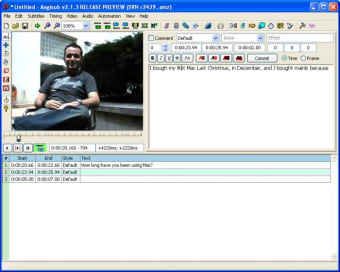
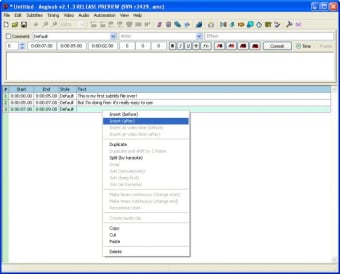
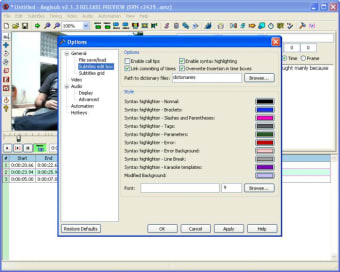
Aegisub is a free subtitle video editing and multimedia software that caters to both beginners and professionals. It delivers precise timing tools, flexible styling options, and a clean interface. Users can easily synchronize dialogue with video, making it a reliable companion for enhancing multimedia projects with polished subtitles. 

Unlock your creativity with Adobe Stock

Get 10 images or 1 video with a free trial

Where precision meets creativity 

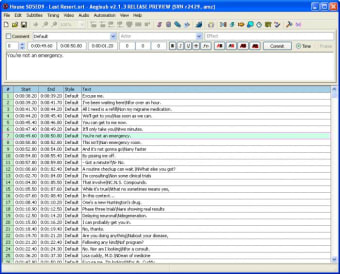
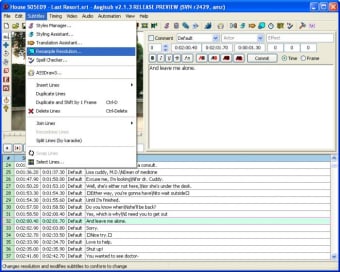
Aegisub stands out as a multimedia subtitle editing tool designed for video production and localization. Its waveform display and timing controls allow frame-accurate syncing. However, new users can find its advanced features and app experience slightly overwhelming at first, requiring patience and practice to fully master them effectively. 

This multimedia software provides extensive customization through styles, fonts, and positioning, enabling users to craft visually engaging subtitles. Support for multiple file formats ensures compatibility across platforms. The real-time preview enhances workflow efficiency. Whether for anime, films, or tutorials, it serves as a dependable solution for subtitle creators seeking flexibility and control. 

A final frame of excellence 

Aegisub proves to be a robust and versatile subtitle editor that balances precision and creativity. Its powerful toolkit and performance make it a valuable asset for multimedia projects. Despite a slight learning curve, it remains a top choice for users aiming to produce high-quality subtitles. 

Shaun Jooste

With extensive experience in gaming and creative writing, he has authored novels and contributed articles and reviews on the latest titles. His career spans both publishing and content creation, combining knowledge of storytelling with hands-on analysis of games and digital media.

  • Pros

    • Open-source
    • Advanced subtitle styling tools
    • Accurate timing and waveform support
    • Cross-platform compatibility
  • Cons

    • Slight learning curve for beginners
 0/5

App specs

  • Developer

  • License

    Free

  • Version

    3.4.2
  • Latest update

  • Platform

    Windows

    Other platforms (1)
  • OS

    Windows 2003

  • Language

    English

    Available languages

    • English
    • Spanish
    • Portuguese
  • Downloads

    230K

    Last month's downloads

    • 236
  • Size

    49.75 MB

Also available in other platforms

Program available in other languages


Icon of program: Aegisub

Aegisub for PC

  • Free
  • 3.8
    300
  • 230K
  • V3.4.2
Free Download for PC

View an ad to download for free


User reviews about Aegisub

Have you tried Aegisub? Be the first to leave your opinion!

Add review

You may also like

Alternatives to Aegisub

Explore Apps

Latest articles

Laws concerning the use of this software vary from country to country. We do not encourage or condone the use of this program if it is in violation of these laws.
Softonic

Is Aegisub safe?

99/100

Score result: Clean

This file passed a comprehensive security scan using VirusTotal technology. It is safe to download.

  • Virus free
  • Spyware free
  • Malware free
  • Verified by Security Partners

    VirusTotal logo

Scan Info

Last scan
Tuesday, July 22, 2025
Scan provider
VirusTotal · Full report

File Integrity

File
Aegisub_V3.4.2.exe
SHA256
df0318afbc88aa461bb702a42a0d0b1203b88cec2d28b61691493766aefe784d
SHA1
fa8558229e1ddb380b4cdb571c1fa00095f72a07

Softonic security commitment

Aegisub has been thoroughly scanned by our advanced security systems and verified by industry-leading partners. This file comes from the official developer and has passed all our security checks, showing no signs of viruses, malware, or spyware. For more information, visit our Security and Trust Center

Signed in to Softonic as